
Download Speccy – System Information, Hardware Monitoring, PC Diagnostics
Overview
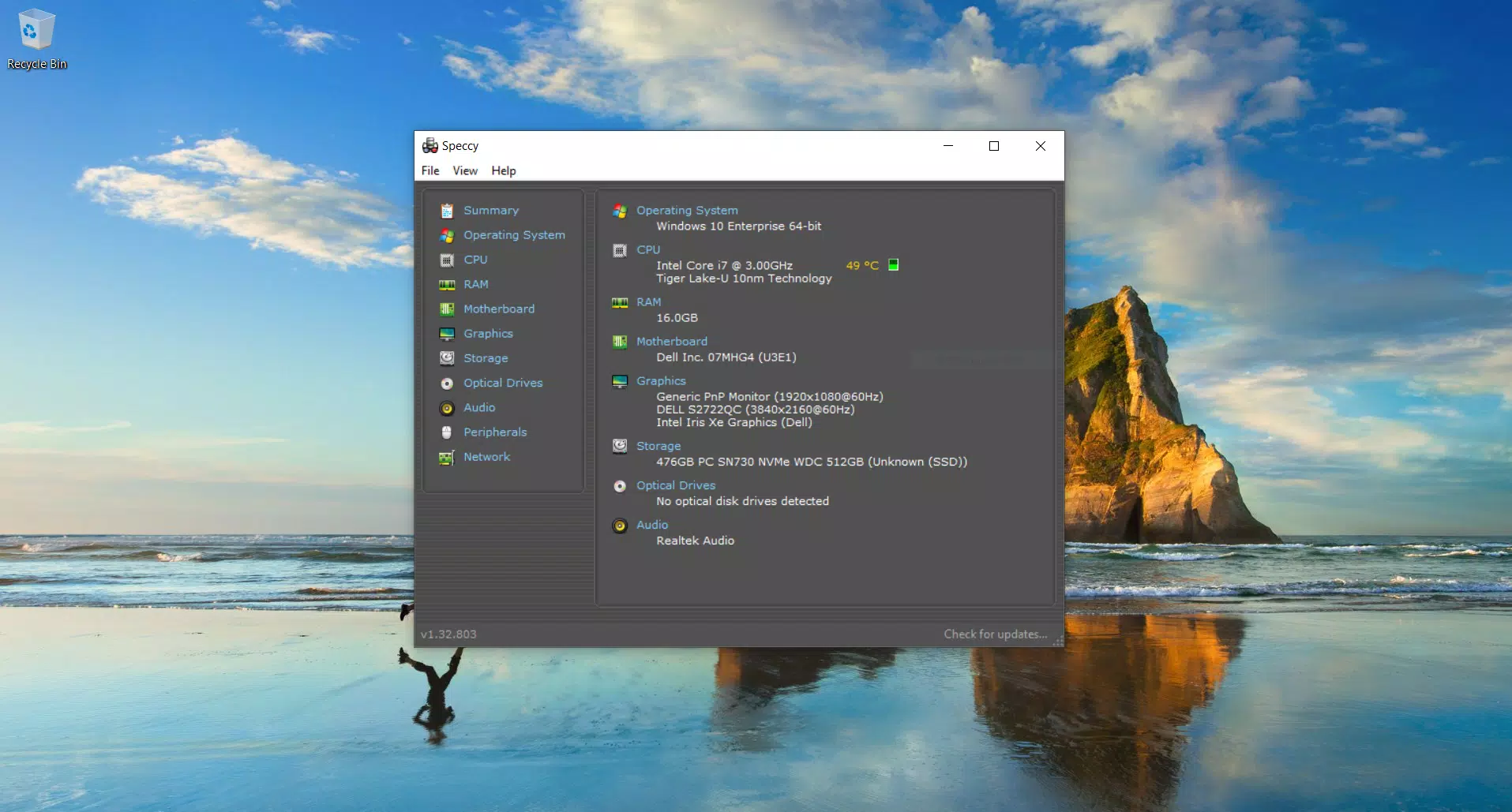
Speccy is a lightweight and efficient system information tool designed for Windows users seeking detailed insights into their PC’s hardware and software configuration. The application provides a real-time, comprehensive overview of critical system components, including the CPU, RAM, motherboard, storage devices, and more. This makes it particularly useful for troubleshooting performance issues, verifying hardware specifications, or planning system upgrades. Whether used by casual users looking to understand their device better or by tech enthusiasts monitoring system health, Speccy delivers essential data in a clear and accessible format.
Developed by Piriform, the app is part of a trusted suite of system utilities known for reliability and user-focused design. Although the developer did not provide additional technical details about the app’s architecture or underlying algorithms, its long-standing presence in the system tools category speaks to its stability and utility. Real-world use cases include identifying overheating components, verifying installed drivers, and confirming hardware compatibility before purchasing new peripherals. In the broader app ecosystem, Speccy fills a niche for quick, no-frills diagnostics that don’t require advanced technical knowledge.
Key Features & Functionality
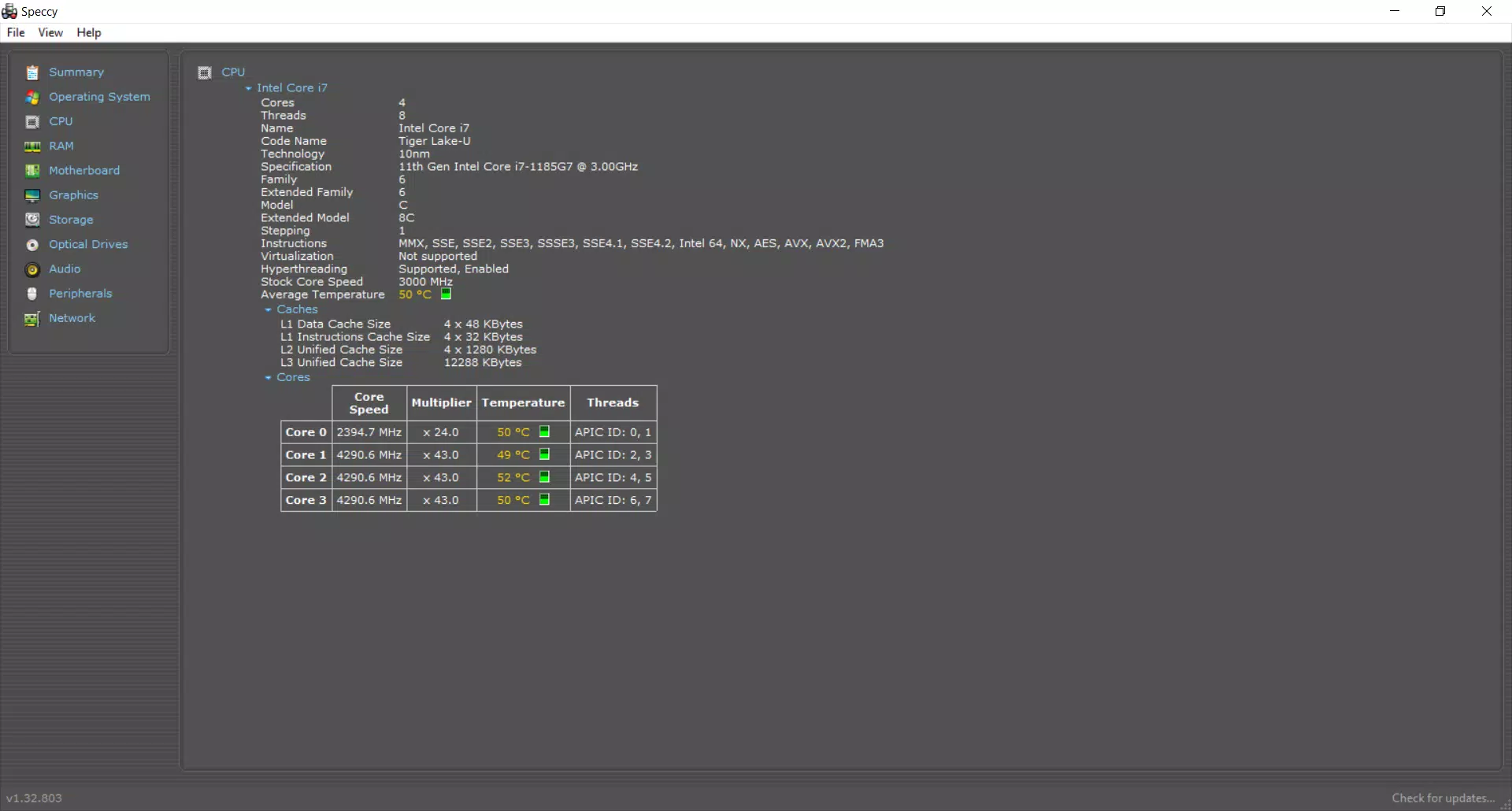
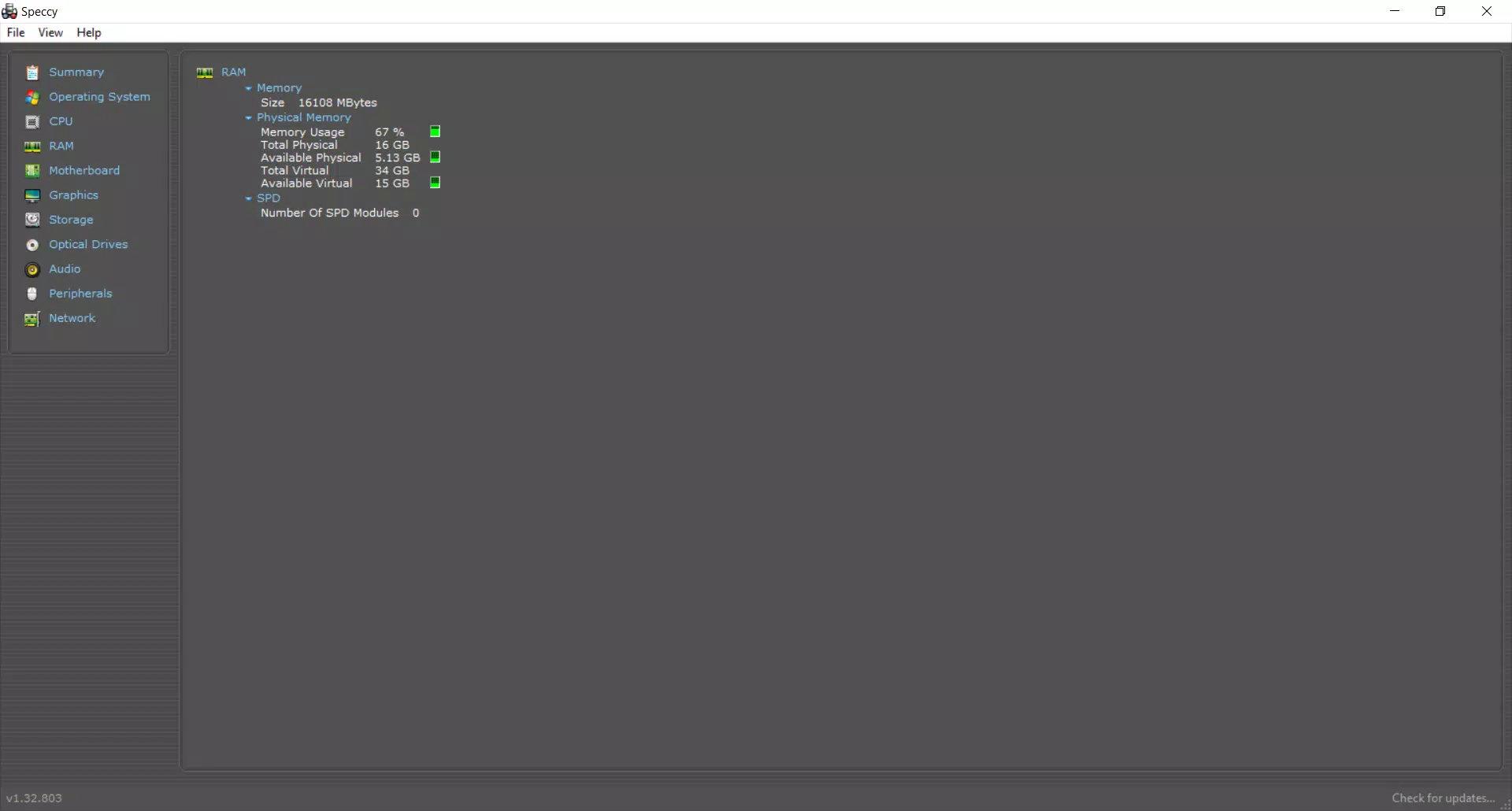
- Comprehensive System Overview: Speccy presents a detailed breakdown of all major hardware components, including model numbers, clock speeds, usage percentages, and capacity. This allows users to verify their system’s configuration at a glance, which is especially helpful when validating specs for software compatibility or support inquiries.
- Real-Time Temperature Monitoring: The app continuously tracks temperatures of the CPU, GPU, motherboard, and storage drives. This feature enables users to detect potential overheating during intensive tasks such as gaming, rendering, or compiling, helping prevent long-term hardware damage.
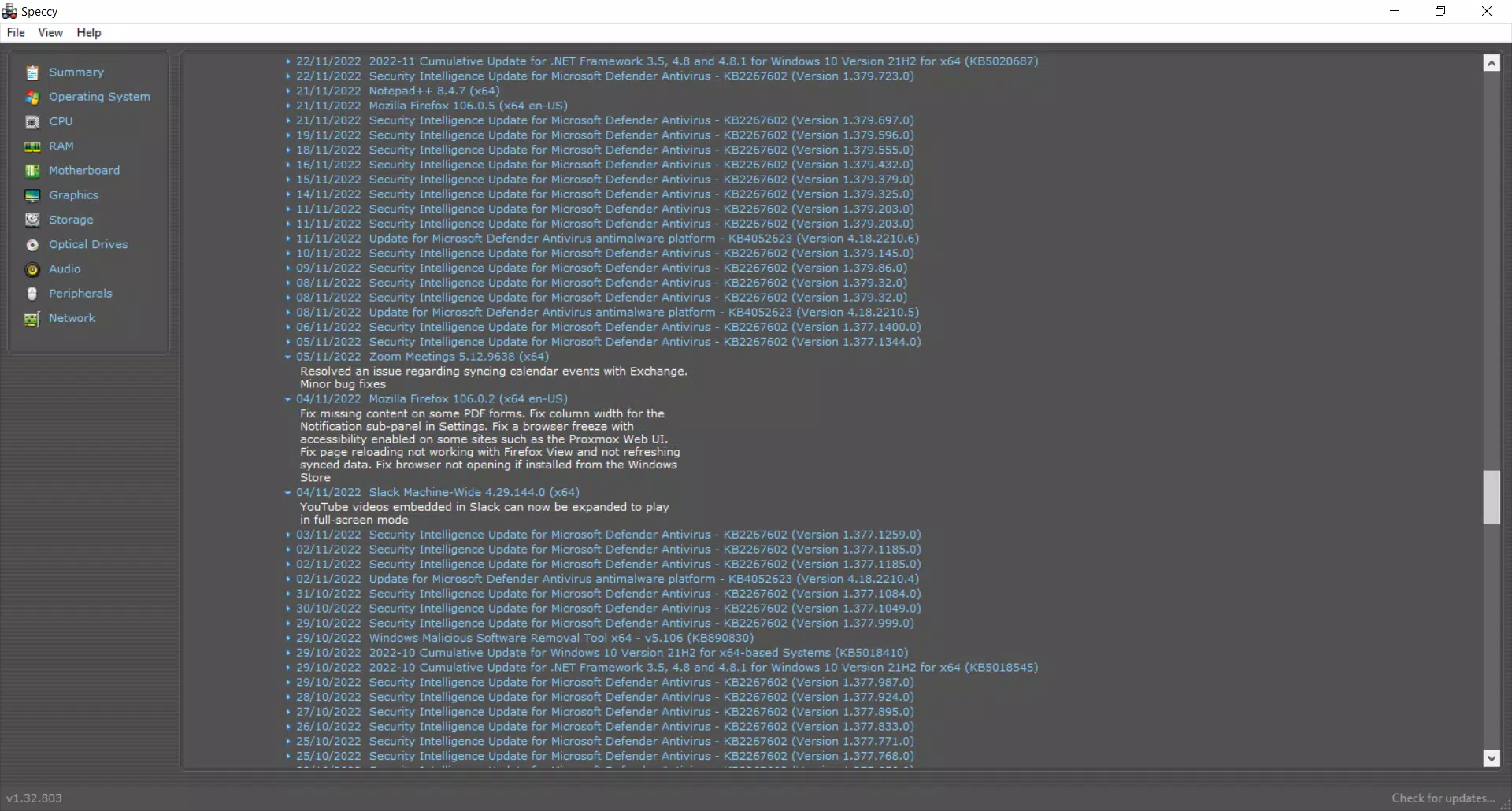
- Driver and Software Update Tracking: Speccy monitors installed Windows updates and driver versions, flagging outdated components. This assists users in maintaining system stability and performance, particularly beneficial for gamers and professionals relying on optimal hardware responsiveness.
- User-Friendly Interface: The app features a clean, well-organized layout with intuitive navigation. Information is grouped logically, and key metrics are displayed with visual indicators, making it accessible even for users with limited technical experience.
- Portable and Lightweight Design: At just 1.4 MB, Speccy is designed for speed and minimal resource usage. Its portable nature allows it to run without installation, making it ideal for on-the-go diagnostics across multiple systems.
For example, a user preparing to upgrade their RAM can use Speccy to confirm current memory type and available slots. Similarly, a gamer experiencing crashes during gameplay can check CPU and GPU temperatures in real time to assess thermal performance.
Interface, UX & Performance
Speccy features a minimalist interface with a clear visual hierarchy, prioritizing readability and accessibility. The main dashboard displays key hardware metrics in a structured layout, with expandable sections for deeper inspection. Navigation is straightforward, relying on a sidebar or tab-based system that allows users to switch between components without confusion. The design emphasizes functionality over ornamentation, ensuring that users can focus on critical data.
Although the developer did not list formal performance metrics, the app’s lightweight footprint suggests efficient resource utilization. It operates smoothly on a range of Windows devices, from older systems to modern machines, without significant impact on CPU or memory usage. Responsiveness is consistent, with real-time updates appearing instantly after system changes. Stability appears high, as the app maintains accurate readings during extended monitoring sessions. However, specific requirements were not listed, so compatibility with all Windows versions cannot be confirmed beyond general availability.
Platform Compatibility & Technical Requirements
Speccy is available exclusively for Windows, supporting the platform as specified by the developer. The app requires a Windows operating system, though the exact version and minimum OS requirements were not disclosed. The file size is 1.4 MB, indicating a minimal footprint that aligns with its lightweight design. No installation is required, allowing users to run the application directly from a USB drive or local folder.
Given the app’s reliance on elevated permissions to access system-level data, users may encounter standard UAC prompts during launch. This is necessary for full functionality and is consistent with similar diagnostic tools. The developer did not specify compatibility with newer or legacy Windows versions, so users should exercise caution when deploying on unsupported systems.
Pros and Cons
Pros
- Lightweight and fast, ideal for quick system checks
- Provides real-time hardware and temperature monitoring
- Clear, intuitive interface suitable for beginners and experts
- Portable – no installation required
- Free to download and use with no in-app purchases
Cons
- Platform limited to Windows only
- No official support for mobile or macOS systems
- Specific system requirements were not listed
- Requires elevated permissions, which may raise security concerns for some users
- Basic update notifications without direct download links
FAQ
Is Speccy safe to download and use?
Yes, Speccy is a legitimate tool developed by Piriform, a reputable company known for system utilities. It is free from malware and does not collect personal data. However, users should only download it from official sources to avoid tampered versions.
Can I use Speccy on older versions of Windows?
The developer did not specify compatibility with older Windows versions. While the app may function on legacy systems, it is recommended to verify system requirements before installation.
Does Speccy require installation?
No, Speccy is designed to be portable. It can be run directly from a USB drive or folder without installing any files on the system.
Why does Speccy ask for elevated permissions?
Accessing detailed hardware and temperature data requires administrative privileges. This ensures the app can read system sensors and configuration details accurately.
Is there a mobile version of Speccy?
No, Speccy is currently available only for Windows. There is no official mobile or iOS version released by the developer.
Final Thoughts + CTA
Speccy stands out as a reliable, no-nonsense system diagnostics tool for Windows users who value transparency and performance. Its combination of real-time monitoring, intuitive design, and portability makes it an essential utility for both everyday troubleshooting and advanced hardware analysis. While it lacks mobile support and has limited documentation on system requirements, its core functionality remains strong and focused. For anyone seeking a free, secure, and efficient way to understand their PC’s inner workings, Speccy delivers consistent value. Whether you're a student checking your laptop’s specs, a gamer optimizing performance, or a technician diagnosing issues, this tool provides immediate insights without complexity.
Download Speccy now


